Showing posts with label ipad accessories. Show all posts

Wednesday, November 17, 2010

Flash on iPad, Install and enable fash on iPad

If you want to run and enable macromedia Flash on your iPad, then this is the solution.

install Frash!.

Frash is developed by software developer cOmex, the same guy who brought us the ‘Spirit’ app

Before you can install Frash, you need to make sure your iPad is already jailbroken.

Now for what you were looking for: step-by-step instructions to install Frash on your iPad.

(MAKE SURE TO BACKUP YOUR IPAD)

Follow this method at your own risk, we are not responsible for any damage done by the process.

How to Install Frash:

Step 1: Connect your iPad to your computer. Make sure that iTunes is not running.
Step 2: Install WinSCP if you have Windows, or CyberDuck if you are running Mac.
Step 3: Once installed, enter the IP address of your iPad in server field. You can find your iPad IP address by going to Settings> Wi-Fi> IP Address.

Step 4: Enter user-name: root and password: alpine (these are default) and also set the protocol to SFTP.

Step 5: Download the Frash.deb file here.

Step 6: Open WinSCP(or CyberDuck for Mac) and navigate to /var/root/media. Now create a new folder by the name of “Cydia”. Open the newly created “Cydia” folder and create another folder inside named “AutoInstall”.

Step 7: Copy the Frash.deb file you just downloaded and paste it in the “AutoInstall” folder.

Step 8: Now reboot your iPad and you should be able to use Flash.

Now you can run flash on ipad.

Monday, September 20, 2010

iFiles 1.5 IPA Cracked iPad

iFiles is a file manager, document viewer, text editor, voice recorder, wifi drive, and more for iPhone & iPod Touch.

Transfer files from your computer, carry them around with you, and share them with your friends.

Using iFiles is easy. Just swipe left or right over a file or folder cell to display a popup menu. Simply tap your selection and you’re ready to go. You can even view and modify properties, labels and icons.

There’s no need to worry about the security of iFiles, either. Your files can be accessed remotely with a password or locally with a master passcode. No one but you will see what’s in your iFiles.

With iFiles, you can easily share files with your friends (peer-to-peep only) using Wi-Fi or Bluetooth.

EMAIL
Send documents as email attachments directly from iFiles using iPhones email accounts.

POPUP MENU
Swipe left or right over a file/folder cell to display popup menu.

VOICE RECORDER
iFiles has build-in Voice recorder

PROPERTIES
View and change folder and files properties. Color label and icon can be changed.

SHARING
Share files with other users of iFiles over Wi-Fi or Bluetooth.

PDF
Open PDF files using very fast viewer that supports very large and password protected files.

SECURE
Remote access can be secured with password and local with passcode.

PERFORM FILE OPERATIONS
- Move, Copy, Rename, Delete, and create New Folder
- Zip and Unzip
- Email (directly from iFiles using iPhones email accounts)
- Share files with other users over Wi-Fi or Bluetooth(iPhone to iPhone/iPod Touch)
- View and change properties
- Save images to Photo Library
- Create new Voice Recordings
- Take Photos, record movies or import from Library
- Create and edit text files

FILE FORMATS
- iWorks (Pages, numbers, Keynote) ’08 and ’09 (with or without Preview)
- Microsoft Office (Word, Excel, PowerPoint).
- HTML web pages and Web archives (web pages downloaded by Safari)
- PDF Documents.
- RTF (Rich Text Format) and RTFD.
- Plain text with auto-detection of character encoding. Text files can also be edited.
- Movies (supported file formats by iPhone: MP4, MOV, MPV, 3GP, M4V)
- Audio (WAV, MP3, M4A, CAF, AIF, AIFF, ACC)
- Images (JPG, PNG, GIF, BMP, TIF, TIFF, ICO, CUR, XBM)

Requirements
A Wi-Fi connection is required to connect to and transfer files to and from iFiles.

Cool features are on the way!

What’s new in Version 1.5
- iPad support
- Upload/download files from online services
- MobileMe iDisk support
- Flickr support
- Picasa support
- Box.net support
- Facebook support
- Google Docs support
- Webdav client
- Web Browser for downloading files

Download


Friday, September 10, 2010

Azkend HD 1.06 Jailbreak Apps Download for iPad


Enjoy the gorgeous visions from the mystical world of Azkend in High Definition on your iPad! The reviewers have said it’s a puzzle game polished to near perfection and this is the most beautiful version of Azkend to date.
REVIEWS (IPAD)
“Azkend HD looks absolutely beautiful. The HD graphics were actually done right in its transformation from iPhone to iPad.”
Starting Azkend is simple: just draw with your finger and string together similar tiles to make matches. Turn all the tiles blue before the time runs out. But this is just the start and the game offers new challenges after each level!

The relic your archaeological team found in Far Asia was more powerful than you imagined. Now your mission is to reach the Temple of Time and return the Relic to lift the curse. Your quest will be easiear if you earn all the eight powerup talismans on your journey.

✓ Amazing hand drawn full screen art in HD
✓ Perfect touch controls
✓ Captivating story
✓ Enchanting sound track
✓ Hours of puzzle action
✓ Two game modes
✓ Eight powerful talismans
✓ Stunning visual effects

Call of Duty: Zombies HD Jailbreak Apps iPad Download

Call of Duty: World at War: Zombies for iPad features:
• Two terrifying Zombie maps, “Nacht der Untoten” (Night of the Undead) and “Verrückt” (Zombie Asylum)
• Stunning HD visuals and graphics improvements specifically for the iPad
• Sensational audio enhancements will provide an even more startling experience
• Streamlined controls and interface customized for the iPad
• 4-Player Co-op Zombie-slaying via WiFi
• Multiple control options for ease of play
• Unlimited Zombies! Unlimited gameplay!

ABOUT CALL OF DUTY: WORLD AT WAR: ZOMBIES FOR IPAD
Call of Duty: World at War: Zombies for iPad brings the classic Call of Duty: World at War zombie-slaying game mode to the iPad. Featuring the original zombie map “Nacht der Untoten” (Night of the Undead) and “Verrückt” (Zombie Asylum), fight to survive in two adrenaline-pumping levels – and you can bring along up to 3 of your friends (4-player co-op via WiFi) to help push back the endless waves of attacking zombies!
Highlights include:
• Call of Duty: World at War: Zombies for iPad supports up to four players via Wi-Fi/Internet. Play with your friends in the same room, on the other side of town, and even across the globe. With the option of either private or open matchmaking, where there’s a Wi-Fi connection, there’s a friend to go Zombie-hunting with.*
• This is the Zombie experience from Call of Duty: World at War. “Nacht der Untoten” has been fully realized on the iPhone™ in a silky smooth 3D environment, along with the return of your favorite guns and killer power ups.
• “Verrückt” is an expansive insane asylum on the outskirts of Berlin that features an array of new weapons, life-saving Perks-a-Cola machines, and zombie-crisping Electroshock defenses.
• Three different control schemes are available to suit your style. Take advantage of the iPad’s tilt capabilities or, for Zombie vets, use the virtual analog sticks to fend off the undead.
• Call of Duty: World at War: Zombies for iPad features a full list of Achievements.
• Leaderboard support awards the best of the best, accessed directly through your iPad. Become the top zombie slayer and prove your standings to the world!

*Wi-Fi support only at this time, play unavailable on cellular networks.
Note: In-game language is English

What’s new in Version 1.1.0
* Game name change
* Minor bug fixes

Download


Multiple Downloader HD 1.0 IPA Jailbreak Apps Download iPad

Multiple Downloader is a powerful file downloader that let you download files on iPad, You can download several files at the same time and play audio video files, view photos ,read pdf, doc files after download, file sharing is also provided so you can easily transfer files to computer.

FEATURES

✓ WEB BROWSER
- Build-in Web Browser with some basic functions as back, forward, refresh.
- Bookmark manager: Add, Remove, Organize bookmarks.
- Auto-save browsing history.
- Download Notification: Auto-Trigger a Download Notification when you click a downloadable link.
- Set default page for built-in browser.


✓ DOWNLOAD MANAGER
- Download several files at the same time.
- Add, Remove, Pause, Resume, clear all downloads.
- Resume download when there is a incoming call.
- View properties of Download task as: Size, Completed Size, Speed, Percentage.
- Badge value for number of active downloads.
- Sound notification for completed download.

✓ FILE MANAGER
- Support sub folders
- Delete, Copy, Cut, Paste, rename files and folders.
- Zip/Unzip files and folders.
- Save images file to Photo Library.
- Send files(auto-zip) via email. (size <>
- View .pdf, .doc, .xls, .ppt, .txt, .rtf files.

✓ PHOTO VIEWER
- Zoom in and out with pinch gesture.
- Save image to photo album.
- View previous and next photo in same folder.

✓ AUDIO PLAYER
- Music playback of .aac .mp3 .wav . m4a formats
- Repeat and shuffle songs.
- Audio playback continues with screen locked.

✓ VIDEO PLAYER
- Play .mp4, .m4v, .mov files. Can’t play .wmv, .avi, .mkv and other formats.
- Play with TV out support.

✓ FILE SHARING
- Transfer files to computer in Wi-Fi network.
- Send files as email attachment.
- Upload files to iPad via browser.

Download


iTeleport: Jaadu VNC 4.0.6 IPA Jailbreak Apps Download for iPad

Teleport yourself to your computer from anywhere in the world. With its intuitive and patent-pending interface, iTeleport gives you full control of your computer’s mouse and keyboard, and provides a rich visual display of your computer screens, without any screen resolution limit.

iTeleport is currently the only application with AUTOMATED SETUP, for both local and “connect from anywhere” connectivity.


* Control any application on your Mac or Windows PC desktop from anywhere in the world

* Visit Flash-based websites from your iPhone (video/audio streaming is not supported)

* Access your computer’s files from anywhere

* Advance PowerPoint slides while reading your presenter notes

* Control your media player from anywhere

* Use your iPhone as a wireless touchpad + keyboard + media remote

* If you’re parent, watch over your child’s online behavior to make sure they’re safe

* Supports Ctrl-Alt-Del and other combination keystrokes

* Supports Mac (Snow Leopard, Leopard, Tiger, Vine Server) and all Windows editions (with free VNC servers: TightVNC, UltraVNC, and RealVNC). Also supports Linux VNCServer and Vino, as well as AMX Touchscreen Interfaces.

* SSH Encryption support for all platforms. For details, visit www.iTeleportMobile.com/support/secure

* Supports VPN-based encryption

Visit www.iTeleportMobile.com for setup instructions and usage tips.

You can even use iTeleport when you don’t have an Internet connection, and want to control your laptop while giving a presentation. Also, iTeleport can handle very high resolution displays, e.g. dual Apple Cinema displays at 5120×1600.

What’s new in Version 4.0.6
Fixed critical bugs

Download

Pinball HD 1.4 IPA Jailbreak Apps Download for iPad


- connect both iPhones to one WiFi or via bluetooth
- choose CREATE game on the first device
- choose JOIN to game on the second device
- start playing

❒ Apple Design Awards  2010 winner
❒ 1st place in US top paid apps during the first sales day
❒ Featured by Apple in “STAFF FAVORITES”"With its ball physics, built-in help and a local and global high-score board, Pinball HD is a great pick for players of all ages.”
– Marc Saltzman, USAToday.com

“Pinball HD is simply a game that was just made for the iPad: it has intuitive controls, takes full advantage of the device’s hardware and delivers a truly immersive experience that will take you right back to the golden age of the arcade.”
– Marco Tabini, Macworld.com

“I really can’t see pinball on the iPad getting much better than this.”
– David Winograd, TUAW.com

“The experience of holding a pinball table in your hand is great, and with three amazing tables included, you’ll have hours of entertainment lined up.”
– Tim Rattray, SlideToPlay.com

“With three tables, reliable physics and controls, and gorgeous graphics, it is a pleasure to recommend.”
– Levi Buchanan, IGN.com

✭ABOUT THE GAME✭
Pinball HD – This game will change your idea of Pinball on the iPad. Each table – Wild West, The Deep, and Jungle style – are masterpieces. You’ll be stunned with the level of realism. This is a REAL Pinball simulator with stunning 3D graphics both with or without 3D glasses.

✭IMPORTANT✭
• Landscape mode – “full table” view
• Portrait mode – “flying-table” view
• In portrait mode slide up or down your both thumbs to toggle camera view from “flying-table” to “full table”.

✭FEATURES✭
✔ 3 pinball tables with unique graphics, instructions, missions system, locations and characters
✔ multiplayer games over wifi or bluetooth
✔ Landscape mode shows a full table view. The games can be played in either landscape orientation with the button to the left or right of the screen.
✔ Portrait mode gives you a flying-table view with the camera panning and zooming over the action. This can only be played when holding the iPad with the button on the bottom. If you activate the screen orientation switch, the game only plays in portrait mode.
✔ A wonderful 3D engine that does true justice to the graphic capabilities of the iPad.
✔ Realistic physics.
✔ Built in help for each table. Tap the circled “I” at the bottom right of each table to get a display detailing instructions and descriptions of the features of each table. Make sure to swipe left and right when viewing since the instructions don’t fit on one screen.
✔ Local and global high scores. Swiping right brings up a table of local high scores and further tapping brings up high scores from copies sold throughout
the world. At the end of each game you are prompted to enter your name and have your score included.
✔ Unique soundtrack with atmospheric music, sound effects and voices.
✔ Camera tilt brings dimensionality to the games offering a simulated 3D effect where the image changes depending upon how you tilt the iPad. Camera tilt only works in landscape mode.
✔ Stereoscopic imaging option (requires anaglyph eyeglasses). You can choose between red-cyan, green-magenta or yellow-blue lenses.

✭HOW TO PLAY✭
When running the app, you are presented with a 3D simulated camera zoom, pan and fly-over of one of the games. Swipe either up or down to get to the other two games. Swiping right brings up Gameprom news and swiping left brings up the local score screen. Tapping on a game’s fly-over screen starts game play. Controls in game:
• Tap ANYWHERE on the left side of screen to control the left flipper and ANYWHERE on the right side to control the right flipper.
• Shake your iPad to realistically nudge the pinball table, but not too much or you’ll tilt.
• Tap on the “electronic caption” at the top of the screen to pause or resume your game.

Follow us on Twitter – @Gameprom

What’s new in Version 1.4
✚ multiplayer game via Bluetooth or WiFi connections.

Download


Super KO Boxing 2 1.0.1 IPA Jailbreak Apps Download for iPad

The most outrageous arcade-style boxing game for the iPhone and iPod touch is now available for your iPad!

Get in the ring as the famous K.O. Kid and go toe-to-toe with a motley crew of 15 face-breaking opponents who will stop at nothing to put you on the mat.

In your quest to become champion of the world, you’ll figure out your opponents’ tells, avoid their signature moves and retaliate with powerful hooks, super-punch combos and lightning KO’s.

Blinded by 15 Cent’s gilded grill? Punch-drunk from Shogun’s lights-out assault? Super K.O. Boxing 2 now comes with 3 FREE Roid Rage power-ups that transform the K.O. Kid into an unstoppable boxing monster!

With 3 different game modes and over 65 unique achievements, Super K.O. Boxing offers hours and hours of exciting and entertaining game play.

Are you ready for an old fashioned beat down?

The legendary Super K.O. Boxing 2 game, optimized for the iPad!

✓NEW! Customize the position of the touch controls on your screen

ROID RAGE POWER UPS!
✓3 FREE Roid Rage power-ups with the purchase of the game (additional Roid Rages can be purchased in-game)

3 GAME MODES

✓CIRCUIT MODE: 18 bouts across 3 circuits… going the distance will win you the Title Belt!

✓CHALLENGE MODE: 17 unique challenges to test your Super K.O. skills.

✓ENDURANCE: How many fights against increasingly tough opponents can you win before getting knocked down?

OPPONENTS
✓Square off against 15 over-the-top opponents, each with a ridiculous personality and devastating signature moves

ACHIEVEMENTS
✓Earn over 65 achievements to unlock hidden extras like character sketches and early game concept images

Check out other Glu games:

✓Deer Hunter 3D for iPad
✓Glyder 2 for iPad

✓World Series of Poker Hold’em Legend
✓Build-a-lot 2: Town of the Year
✓Family Guy: Uncensored
✓TRANSFORMERS G1: AWAKENING
✓Super KO Boxing 2
✓How to Train Your Dragon
✓TRANSFORMERS CyberToy
✓Bonsai Blast
✓Jump O’Clock
✓Build-a-lot

FOLLOW US at
twitter.com/glumobile
facebook.com/glumobile

GIFT THIS APP: Click the “Buy App” arrow in the iTunes® App Store.

What’s new in Version 1.0.1
Bug fixes and other improvements to game performance.

Download

Minigore HD 1.02 IPA Jailbreak Apps Download for iPad

GRAND OPENING OFFER: SAVE NEARLY 30% WHEN YOU GET MINIGORE HD NOW!
Can you survive the onslaught of furries in the dark wilderness of Hardland? Help John Gore avoid his enemies and fill them full of lead in this action-packed arcade shooter. Minigore HD is as entertaining as it is challenging, and you’ll find it impossible to put down. Crisp HD visuals especially for iPad make this one of the best-looking games on the App Store.

The best-selling iPhone action game makes its long-awaited High Definition appearance!

Can you survive the onslaught of furries in the dark wilderness of Hardland?

- 15 unique playable characters
Guest stars from App Store hits Zombieville USA, Hook Champ, Sway and Enviro-Bear 2010.
All premium characters included for FREE.
Egoraptor returns as the voice of John Gore – wait till you hear the all new Zombie Gore open its mouth!

- Unmatched set of features

Razor-sharp HD-experience – graphics carefully redone from ground up to exceed all expectations!
Accessible touch2go controls – simply point where you want to walk and let John Gore handle the guns. So easy grandma could play!
Dual-stick shooter controls – the original Minigore experience on the iPad. For ultimate precision.
Multiple dynamic difficulty modes – be warned: insane mode is not for the faint-hearted!
Crystal – online leaderboards and achievements.
Day and night cycle – Hardland is never going to be the same again!
PlayHaven community – access tips, announcement and more.
Automatic saving – enables true pick up & play gaming.

…and much, much more!

MINIGORE BLOG: minigore.blogspot.com
FOLLOW US: twitter.com/minigore
JOIN: http://www.facebook.com/MinigoreFanPage

What’s new in Version 1.02
“Fur Bomb:
-This feisty furry is a hazard to you, itself and other furries alike. It will go totally nuts if you shoot it! Starts a chain reaction if you make it detonate near other Fur Bombs!

Crystal:
-The latest version!

WHAT DO YOU WANT IN MINIGORE? HAVE YOUR SAY: http://minigore.blogspot.com
FOLLOW US: http://www.twitter.com/minigore
JOIN: http://www.facebook.com/MinigoreFanPage”

Download

Samurai: Way of the Warrior HD 1.10 .IPA Jailbreak Apps Download for iPad

Samurai is absolutely gorgeous. Not only is it a stunner, but the combat is perfectly paced and a lot of fun to experiment with as you discover the best combos. 8/10 -- ign.com
it’s a clear example of how cool the iPad could be. -- gizmodo.com
best looking apps you can find for the 9.7” screen -- appadvice.com
It is a truly beautiful masterpiece worthy of finding a home on your iPad. -- appmodo/ipadmodo.com

As renowned as the iPhone version is for its stylized manga-like graphics and its bloody gameplay, the HD version takes all the virtues of the original and improves upon them. Carefully crafted comics establish and maintain the story line between battles, lending the action increased drama. The goal of the game is to kill all the enemies in a particular setting, so as to unlock the gate and proceed on to the next stage. The player controls the Samurai with his finger on the touch-screen, moving him in all four directions. Defensively, the player swipes their finger left, right, or up to evade an enemy attack. Swiping in this way over the enemy controls the player’s attack. Successfully combining swipes activates powerful combination attacks.

Gameplay is set in the midst of the Japanese Sengoku period, and the player is Daisuke Shimada, a wandering Samurai. It is the most dangerous of times, and Daisuke must ultimately face the evil Daimyo Hattoro, who has spread fear and terror throughout the countryside. Many battles must be won before meeting Daimyo, and Daisuke does battle with enemies in many villages throughout feudal 16th century Japan. There are a great variety of settings in which battles are fought, and highly detailed foliage, bridges, arenas, houses, statues, streets, etc. The game is played from an overhead point of view and both graphics and movement are highly realistic within the stylized motif of the action.

• First hack and slash game developed specifically to leverage the iPAD touch screen.
• Deadly Dojo only for iPad !!!
• No more virtual joysticks or gamepads, only your finger and touchscreen.
• Visit several unique environments in the Japan in a feudal 16th century setting.
• Unlock all combo attacks and master your skills.
• Never before seen comics storytelling
• Special Dojo mode. Fight in the arena sparing enemies in the rounds.
• Online leaderboards
• Facebook and Twitter integration
• Friends lists
• Persistent player profile
• Original movie like soundtrack.
• And much more…

Recommended for fans of hack ‘n slash games as Ninja Gaiden, Devil May Cry, God of War or Heavenly Sword

AGON Online by Aptocore, for more info on AGON Online please visit:

http://agon-online.com

Follow us on twitter

http://twitter.com/MadFingerGames

Follow us on Facebook

http://www.facebook.com/pages/Samurai-Way-of-the-Warrior/127648768229

What’s new in Version 1.10
* New Maxi Gore Dojo
* Various fixes

Download Links
www.filedude.com


How to Install iPad .IPA Apps (.IPA Files) on iPad or iPhone

Wondering how to install .IPA files & apps (.ipa) on iPad? Well, Apple won’t let you install any of those files onto the iPad. And rightly so! If you like an app or a game much, you should purchase it. However if you are looking for some testing before you go on to purchase the app, please read on our guide on how to install .IPA apps on iPad:

Step 1: Jailbreak iPad (Read our guide on how to jailbreak iPad using Spirit)

Step 2: Run Cydia on your iPad

Step 3: In Cydia, go to “Manage” tab and tap on “Sources”

Step 4: Hit the “Edit” button, then tap “Add”

Step 5: Enter http://cydia.hackulo.us and hit “Add Source”

Now a warning box will appear saying:

"This repository has been reported by the community to be illegally redistributing copyrighted works. We cannot stop you from using it but we can (and do) recommend moral introspection and caution."

Step 6: Hit “Add Anyway” and repo will be added to iPad, now hit “Return to Cydia” button.

Step 7: Now search Cydia for “AppSync for OS 3.2”, once found tap on it.

Step 8: Then hit the install button, then tap “Confirm” to begin AppSync installation.

Step 9: Once the install process is complete exit Cydia.

That’s it. You can now install and test cracked apps on iPad before you go on to purchase them.

Step 10: Installing .ipa files in iPhone or iPad:

Cracked apps are usually in .ipa extension, to install a cracked app or game with .ipa extension in iPad or iPhone, connect your iPad to iTunes, double click on cracked app of game’s .ipa file and sync your iPad with iTunes.

Disclaimer: We strongly discourage and condemn piracy. This guide is for educational & testing purposes only as stated in start of the article.

Guide to Change Your iPad SSH Password

When you jailbreak, the filesystem’s password is set to the common password “alpine” As people usually don’t bother changing this password after performing a jailbreak, it’s really easy for hackers to get access to any jailbroken iPad on a public network. Changing the password is quick and easy — after the jump is a tutorial showing how to change the SSH password.

Note : Mobile terminal isn’t compatible at the moment, for the time being you can turn off Turn of SSH when not required. Install SBSettings from Cydia so you can turn it off or on when you really required this. Once Mobile Terminal gets updated with iPad support you can change your password with the following instructions.

Change the Root Password of iPad : it’s the most easiest way all you need is to install Mobile Terminal and perform the following commands.

type: su root
then type : alpine
then type: passwd
then enter your new password:

once done; also change the password of the mobile user name.

type: passwd mobile
then enter the new password for the mobile username;

this will ensure that your iPad is safe from hackers.


Open SSH for iPad

SSH means secure shell - you can coonect thru your iPad via SSH!
This protocol allow us to access the file system of the iPad Touch once you ran the Jailbreak. We may, thus, transfer files and content at will, in any folder. once you’ve got ssh installed on your iPad and active, you can access your iPad from a shell on your Mac or with third party programs.

Connecting to your iPad remotely lets you use the full power of your device!.
from cydia, go to the menu and install OpenSSH then download putty and after
everything is done go to the wiufi settings of your iPad and fins the I.P address assigned to the device. enter it to the puTTy client or winscp for windows and cyberduck for mac Os, you can connect from there.

Instructions :

Note of your iPad IP address from Settings > WiFi and tap on the blue arrow to the right of the name of your home network. In the next screen you can find the IP Address of your wireless network.

Now Launch your SSH client program. you will need to fill the following information, enter the ip address of the iPad, just leave the ports to default.

Hostname or Server = iPad's IP Address "ex. 192.168.0.100"
Username = root
Password = alpine

("the default password is alpine, you can change this in your iPad anytine")

File Protocol = Should be SCP on WinSCP and SFTP on Cyberduck

How to jailbreak iPad, iPod touch, iPhone

How to jail break iPad?

just got my ipad a couple of weeks ago from my godfather in new york. :)
he's not a mafia or an american gangster..but anyway, i have decided to jailbreak the ipad
for so many reasons. like maximize the use of the hardware. and make my ipad more productive, play more games ("full version games that are available for downloads") and so much more. so lets get started.

after doing some research on the apple ipad and how it w
orks. im now ready to jailbr
eak the ipad, just follow this guide carefully to jailbreak your
ipad.

first of all. you need to check your ipad version ("works with ipod touch,ipad,itouch, iphone).

Check the firmware version of the ipad,ipod touch, iphone. firmware should be 3.1.2, 3.1.3 or 3.2 (not the 3.2.1 firmware)

the apple device should be ACTIVATED, it should not be stuck on the Connect to iTunes or Emergency Call screen.

Check your iTunes version. "iTunes 9 earlier than 9.2

Syncing with iTunes b
efore trying this jailbreak and you should also backup evrything just in case the jailbreak wont go well for you. but chances are .1% if you just follow the instruction well.

now you need to download Spirit Jailbreak. download here: http://spiritjb.com/


Note: make sure you have checked the firmware of your iPad,itouch or iphone before you continue, also dont forget to check your iTunes Version.

just to make su
re here is a download link of iTune Ver.
9.1.1

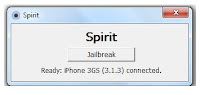
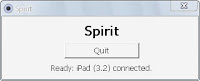
if everythig is checked. then you are good to go. connect your iPad to your USB cable and run the file spirit jailbreak. should look like this image below.

Now click the button to jailbreak your device, and wait when its finished.


your Apple iPad is now jailbroken..

Your iPad will restart. just wait for it to restart and its all done.


After it has restarted the screen should look like this. this is a jailbroken iPad screen.

Now just go to cydia and wait for it to run for the first time. your iPad will restart and then run it again and when you are prompted with a selection just choose graphical mode for simple mode. then when donw update cydia and wait for it to load again.

Thursday, September 9, 2010

The Apple Wireless Keyboard for ipad

Apple iPad Wireless Keyboard

Work like the desktop and use the Apple Wireless Keyboard on your iPad, on your lap, or anywhere within 30 feet of your iPad or Mac — The Apple Wireless Keyboard has a built-in Bluetooth technology. Its has a compact design takes up 24 percent less space on your desktop than full-size Mac/PC keyboards, so you have extra room to move the keyboard around and mouse comfortably alongside of it. You’ll also feel a difference when you type on its low-profile anodized aluminum enclosure with crisp, responsive keys. Use the function keys for one-touch access to a variety of Mac features such as screen brightness, volume, eject, play/pause, Exposé, and Dashboard.
The Apple Wireless Keyboard requires just two AA batteries — one less than the previous model. And its intelligent power management system conserves battery life. So when you’re not using the keyboard, it automatically powers down. The instant you start typing, it turns back on. Use the on/off switch when you're away from your computer for a long time.

Apple iPad Camera Connection Kit

The Apple iPad Camera Connection Kit

One of the best thing on the ipad is the iPad Camera Connection Kit, it gives you two ways to import photos and videos from a digital camera: using your camera’s USB cable or directly from an SD card. iPad and the Camera Connection Kit support standard photo formats, including JPEG and RAW. also you can use this kit to read usb flash drives and usb mobile disk in your ipad. for as low as $30.00 you can have this great gadget.

http://store.apple.com/us/product/MC531ZM/A#overview