Showing posts with label Apple Jailbreak. Show all posts

Wednesday, November 17, 2010

Flash on iPad, Install and enable fash on iPad

If you want to run and enable macromedia Flash on your iPad, then this is the solution.

install Frash!.

Frash is developed by software developer cOmex, the same guy who brought us the ‘Spirit’ app

Before you can install Frash, you need to make sure your iPad is already jailbroken.

Now for what you were looking for: step-by-step instructions to install Frash on your iPad.

(MAKE SURE TO BACKUP YOUR IPAD)

Follow this method at your own risk, we are not responsible for any damage done by the process.

How to Install Frash:

Step 1: Connect your iPad to your computer. Make sure that iTunes is not running.
Step 2: Install WinSCP if you have Windows, or CyberDuck if you are running Mac.
Step 3: Once installed, enter the IP address of your iPad in server field. You can find your iPad IP address by going to Settings> Wi-Fi> IP Address.

Step 4: Enter user-name: root and password: alpine (these are default) and also set the protocol to SFTP.

Step 5: Download the Frash.deb file here.

Step 6: Open WinSCP(or CyberDuck for Mac) and navigate to /var/root/media. Now create a new folder by the name of “Cydia”. Open the newly created “Cydia” folder and create another folder inside named “AutoInstall”.

Step 7: Copy the Frash.deb file you just downloaded and paste it in the “AutoInstall” folder.

Step 8: Now reboot your iPad and you should be able to use Flash.

Now you can run flash on ipad.

Tuesday, September 21, 2010

Flight Control HD IPA 1.04 Jailbreak Apps Download for iPad

If you were addicted to Flight Control on iPhone, wait until you see it in glorious HD! The App Store classic has landed on iPad with new ways to play and beautiful new graphics. If you’ve never played Flight Control before, now is the perfect time to find out what you’ve been missing!

In Flight Control HD, you’re an air traffic controller at an increasingly busy airport. Touch and drag the aircraft to their landing zones, but don’t let them collide. Sounds simple? It is, but can you juggle dozens of flights at peak hour?

Firemint’s #1 iPhone hit has been re-imagined for the big screen – it’s everything you love about Flight Control, plus everything you wanted on iPad!

*** MORE SPACE *** to land your planes on larger maps
*** MORE AIRPORTS *** with eight single-player maps including three in HD
*** MORE WAYS TO PLAY *** including co-op and split-screen versus modes
*** MORE FUN *** with many improvements to the line-drawing genre it created

=======================================================
Acclaim for Flight Control on iPhone:
* More than 2,000,000 copies sold – one of the most popular games ever
* #1 Paid App in more than 20 countries
* Featured by Apple in “Rewind: Best of 2009”
* Winner: Pocket Gamer Awards 2010 – Game of the Year
* Winner: Macworld 2009 App Gems Awards – Best Casual Game
* Finalist: Interactive Achievement Awards – Best Casual Game
* Finalist: Game Developers Choice Awards – Best Handheld Game
Visit firemint.com/flightcontrolhd for more information.
Please visit firemint.com/support if you have questions or need help
=======================================================

Flight Control HD comes packed with:
* Eight single-player maps: three new HD airfields, all the Classic maps from the iPhone version (Original, Beach, Carrier and Outback) plus a new Snow airfield with variable wind direction.
* Beautiful high-quality graphics throughout, including an all-new menu and updated graphics for the Classic maps.
* Two player multiplayer over Wi-Fi network or Bluetooth. Play with a friend who has an iPhone, iPod touch or iPad (requires Flight Control or Flight Control HD on both devices): land aircraft of your own color, and direct others off the screen for your fellow Controller to land.
* Co-operative multiplayer on a single iPad: share landing duties with a friend on one of three HD airfields.
* Do battle on a split-screen in the competitive “versus” mode on one iPad: send your planes to capture aircraft from your opponent, but risk losing them if you fail your mission!
* Popular fast forward mode so that expert players can progress through the game faster. Plus a new “safe” fast forward that turns off when collisions may be imminent, so you can still save the day!
* Track your performance with detailed statistics and check your skills with in-game leaderboards and ranks.
* All-new path continuation widgets make advanced new play styles possible on the large iPad screen. Draw a path part of the way, and then continue it later from its end node.
* Flight Control HD automatically saves your game when you are interrupted so you can resume exactly where you left off when you are ready.
* Enjoy songs from your own iPod music library while you play.
* BONUS: includes a longer version of the classic Flight Control song that you just can’t get out of your head!

Visit the community website at flightcontrolhd.cloudcell.com for more connected features:
* See Google maps mash-ups of Flight Control scores from all over the world.
* Link to your Twitter or Facebook accounts to auto-boast your high scores.
* Install the Facebook app to see how you rank against your friends.
* Set up personalised leaderboards with tags and follows.

Get ready to relive your love affair with Flight Control and experience it on the big screen!
What’s new in Version 1.04
Problems with Multiplayer between Flight Control HD and Flight Control (on iPhone/iPod Touch) have now been fixed.

Various other fixes and improvements.

Download

Monday, September 20, 2010

iFiles 1.5 IPA Cracked iPad

iFiles is a file manager, document viewer, text editor, voice recorder, wifi drive, and more for iPhone & iPod Touch.

Transfer files from your computer, carry them around with you, and share them with your friends.

Using iFiles is easy. Just swipe left or right over a file or folder cell to display a popup menu. Simply tap your selection and you’re ready to go. You can even view and modify properties, labels and icons.

There’s no need to worry about the security of iFiles, either. Your files can be accessed remotely with a password or locally with a master passcode. No one but you will see what’s in your iFiles.

With iFiles, you can easily share files with your friends (peer-to-peep only) using Wi-Fi or Bluetooth.

EMAIL
Send documents as email attachments directly from iFiles using iPhones email accounts.

POPUP MENU
Swipe left or right over a file/folder cell to display popup menu.

VOICE RECORDER
iFiles has build-in Voice recorder

PROPERTIES
View and change folder and files properties. Color label and icon can be changed.

SHARING
Share files with other users of iFiles over Wi-Fi or Bluetooth.

PDF
Open PDF files using very fast viewer that supports very large and password protected files.

SECURE
Remote access can be secured with password and local with passcode.

PERFORM FILE OPERATIONS
- Move, Copy, Rename, Delete, and create New Folder
- Zip and Unzip
- Email (directly from iFiles using iPhones email accounts)
- Share files with other users over Wi-Fi or Bluetooth(iPhone to iPhone/iPod Touch)
- View and change properties
- Save images to Photo Library
- Create new Voice Recordings
- Take Photos, record movies or import from Library
- Create and edit text files

FILE FORMATS
- iWorks (Pages, numbers, Keynote) ’08 and ’09 (with or without Preview)
- Microsoft Office (Word, Excel, PowerPoint).
- HTML web pages and Web archives (web pages downloaded by Safari)
- PDF Documents.
- RTF (Rich Text Format) and RTFD.
- Plain text with auto-detection of character encoding. Text files can also be edited.
- Movies (supported file formats by iPhone: MP4, MOV, MPV, 3GP, M4V)
- Audio (WAV, MP3, M4A, CAF, AIF, AIFF, ACC)
- Images (JPG, PNG, GIF, BMP, TIF, TIFF, ICO, CUR, XBM)

Requirements
A Wi-Fi connection is required to connect to and transfer files to and from iFiles.

Cool features are on the way!

What’s new in Version 1.5
- iPad support
- Upload/download files from online services
- MobileMe iDisk support
- Flickr support
- Picasa support
- Box.net support
- Facebook support
- Google Docs support
- Webdav client
- Web Browser for downloading files

Download


Wednesday, September 15, 2010

BOx Match 1.0 IPA Jailbreak apps download iPad

Fabulous news..! Box Match for iPad is in 51st rank among many other iPad apps. Entire Cascadia is thankful to everyone who made our app reach the milestone.
Thanks a lot…! Enjoy playing many more apps…!


Our other top games in iTunes :

Run Fast – 2 Rank
Sizzling Pip – 8 Rank
Number Bumper – 20 Rank
Stackeo – 5th Rank
Alien Fleet – 10 Rank
Bow Shoot – 8 Rank
Know Parking – 27 Rank
Constella Major – 52 Rank
Number Twist – 46 Rank
UCB – 87 Rank
Twin Win – Rank
Try all the other app developed by us….. Enjoy playing games….!

The Box Match is a mind teasing puzzle game developed by Cascadia Interactive. This game will take your analytical thinking to a new level. There are 25 different levels; each level is designed for a great gaming experience. Clear the levels by grouping similar boxes which are randomly placed in the game layout. The challenges get more complex as you go to a higher level. To avoid getting trapped, ensure no odd box remains, else you have to retry the same level.

Instructions
• Tap, drag and join similar boxes
• To quickly clear the game level, move the nearest box
• Repeat the above step for other similar boxes
• Clear all the boxes and proceed to the next level

Note:

• You cannot move the box upwards
• A minimum of 2 boxes and a maximum of 3 can be joined together.
• Global Levels with location preference

Download

YourTubeHD 1.2-1 DEB Jailbreak Apps Download for iPad


YourTubeHD will permit you to download videos on your iPad.

This is the Updated Version

Download

Tuesday, September 14, 2010

The Apple Posts iOS 4.2 Preview for iPad


Apple Computers has posted a new page previewing the features that iOS 4.2 will bring to the iPad.

They highlight features such as Multitasking, Folders, Printing, AirPlay, Game Center, Even Better Mail, Safari Text Search, Enhanced Enterprise Support, Accessibility Enhancements, as well as Keyboard and Dictionary Enhancements.
iOS 4.2 is scheduled to arrive on the iPad and iPhone in November.

Monday, September 13, 2010

ArtStudio – drawing, painting, photo editing 2.7 IPA Jailbreak Apps iPad

ArtStudio is a professional drawing / painting application. It uses advanced mathematics to attain the highest level of quality, at the same time offering incredible performance achieved through numerous code optimizations. It still remains a fantastic tool for beginners – it contains drawing lessons showing step-by-step instruction on drawing various types of images.

Follow us on twitter: http://twitter.com/lucky_clan

FORUM/gallery:

http://flickr.com/groups/artstudioimages/


Reviews:
appmodo.com:
“It doesn’t matter whether you’re a skilled artist or a newbie; ArtStudio for iPad is for you.”

appsmile.com: 5/5
“This is what PhotoShop Mobile wishes it had been.”

appversity.com: 4/5
“When comparing it to Brushes or iSketch two of the more prominent iPhone applications it’s easy to recommend ArtStudio as it offers more features, functionality and value than either of these currently offer.”

FEATURES:
- SUPPORT FOR ANY DEVICE ORIENTATION
- available canvas sizes: 768×1024, 768×768, 1024×1024, CUSTOM
- 30 BRUSHES including pencils, brushes, WET BRUSH, eraser, smudge tool, bucket fill (simple/smart, eraser), glow, tube, airbrush, 1px and many more…
- TEXT TOOL (44 fonts, settings: normal/bold/italic, left/center/right alignment, size, opacity, color)
- slots to SAVE 20 BRUSH PRESETS with names
- 17 DRAWING LESSONS (animals, human, 3d, perspective)
- DODGE/BURN with the following options: shadows/mid-tones/highlights, normal/colorize
- advanced settings offer 10 different parameters (size, opacity, fadeout, spacing, jitter, speed-based thickness, hard-edge, incremental and more) and real-time preview for all brushes
- erase mode for each brush
- simulated brush pressure
- line smoothing, antialiasing, zooming with filtering
- symmetric drawing – horizontal and vertical
- shapes: lines, rectangles, ellipses, polygons (open, closed)
- innovative interface; screens can be displayed in simple or advanced mode.
- quality and performance unmatched by any other app in the app store
- 6 LAYERS with options: add/new / delete / reorder / duplicate / merge / clear / transparency / visibility
- LAYER MASKS
- layer transformations: ROTATE/MOVE/SCALE/FLIP with multi-touch, additional buttons to precisely set all parameters
- 9 layer blending modes: normal, multiply, add, screen, overlay, hue, saturation, color, value
- preserve transparency layer mode (so you can draw only on the visible contents of a layer)
- copy/paste layer between projects
- multi-touch navigation with unlimited zoom
- tap-and-hold to enable eyedropper
- two modes of eyedropper: sample current layer/sample all layers
- advanced color editing with customizable color swatches and real-time colorized RGB sliders
- UNDO/REDO system, with almost infinite number of steps
- image resize, change canvas size
- filters: blur, sharpen, posterize, edge detect, sepia and more…
- adjustments: brightness/contrast/exposure(gamma); hue/saturation/lightness; red/green/blue; colorize
- load/save/export to iphone gallery / import from gallery / send by e-mail
- additional “QUICK MENU” with the most frequently used functions, displayed after three-finger tap
- over 800 beautiful paintings (selected from many more) in ONLINE GALLERY

- Video Output – after you connect your iPad through Apple Component AV Cable or Apple Dock Connector to VGA adaptor, the canvas will be mirrored to external screen. Two settings available: “panscan” and “show pan/zoom also on external screen”

## IPHONE/IPOD VERSION AVAILABLE IN APP STORE ##
What’s new in Version 2.7
- added layer masks
- added incremental painting brush setting – in incremental mode (default), each brush stroke is added to the layer. In non-incremental mode brush mark is added to layer after touching up, so painting over the same area in a single stroke does not produce a cumulative result. Please set small brush opacity to see the difference.
- added image resize feature
- added changing canvas size with preview
- added “colorize” adjustment
- painting on non-visible layer does not change its content
- added tool names in brush settings popover
- few minor bugs fixed

Download


Build-a-Lot 2: Town of the Year 1.1.0 IPA Jailbreak Apps Download iPad

Build-a-Lot 2
Optimized for the iPad! The hit casual online strategy franchise returns with an award-winning sequel – Build-a-lot 2: Town of the Year For iPad! It’s time to get busy building, buying and selling houses! Flip houses for quick cash or sit back and watch the rental income pile up. Use your entrepreneurial eye to spot the right locations for residential neighborhoods, parks and industrial zones. Boost your profits and raise Curb Appeal by painting and landscaping homes. There are new towns to explore, new Mayors to meet and lots of money to be made as you cast your vote for the “Town of the Year!”

- Enhanced graphics and user interface optimized for the iPad
- New houses – villas, farmhouses and bungalows
- New special buildings – recycling centers, parks and workshops
- Flip houses for BIG profits.
- Increase the “Curb Appeal” of your properties by painting and landscaping.
- Achieve goals, generate income and cast your vote for “Town of the Year” in Campaign Mode or improve neighborhoods at your own pace in Casual Mode
- Expanded gameplay, more colorful graphics and improved UI make Town of the Year a no-brainer for fans of the original Build-a-lot.
- Pile up even more profits by building all-new businesses like bookstores and cafés in your town! – Completing a variety of unique challenges throughout the game will boost your career earnings in your quest to become a real-estate mogul and vie for the prestigious honor of Town of the Year!

Download iPad Jailbreak Apps
mediafire


Saturday, September 11, 2010

uninstall apps downloaded from cydia

Go to Cydia, select the Manage icon along the bottom of the screen,and choose Packages, choose the one you want to remove or modify and then press on Modify when it comes up in the upper right corner. You'll have the option to remove or re-install.

Friday, September 10, 2010

170,000+ Recipes and Grocery List – BigOven Pro 1.0.5 IPA Jailbreak Apps Download iPad


Get access to a vast recipe library, including your own favorite recipes that you may post, right from your iPad! Recommended by the New York Times Dining section, May 2010, and CNN.com, April 2010.

Designed from the ground-up for the Apple iPad, this BigOven app is an ideal kitchen companion!

Look up virtually any recipe by title, keyword, or ingredient. A unique “Leftovers” feature lets you quickly enter up to three ingredients from your fridge or pantry to find out what you can make.

Plan your “Try Soon” list of recipes at your leisure so you’re never stuck for dinner. Get access to your ready-to-go grocery list at the grocery store via your iPhone. Rate recipes and see comments and recipe photos from people around the world.

Unique to BigOven on the iPad, you can post your *own* family recipes and photos to BigOven.com free of charge from any web browser (including the one on the iPad), and then access them in BigOven for the iPad right when you’re cooking!

Or, let’s say you’re at a dinner party and want your friend’s recipe for that fabulous dessert. Just tell them to post the recipe on BigOven.com — it’s free, and you’ll have access to it forever on your iPad with a few taps of the keyboard.

BigOven Pro lets you easily build a grocery list from one or more recipes, plus any individual items you might want to add. Tapping and holding on any recipe in your grocery list will bring you right to that recipe.

You can add entire recipes to the grocery list, and the ingredients are automatically sorted by aisle for you. (You can check-off the items that you already have on hand before or after adding them to your grocery list.)

Change your mind? Simply delete one or more recipes from your grocery list and the ingredients for that recipe (and only that recipe!) are removed instantly.

Best of all, and unique to BigOven, your editable list carries with you across devices!

BigOven.com will seamlessly synchronize your Grocery List, Favorites list, Try Soon list and Cooking Log with your online BigOven.com account, so this data is available on your iPhone and the web.

Offline cache: BigOven lets you save important recipes and your grocery list so you can access them even without wi-fi or 3G! Simply view a recipe and add it either to your Favorites list or Try Soon Queue. It, and the grocery list will be available for viewing even without an Internet connection! The remaining 170,000+ recipes stay safely stored on our online archive, which conserves memory on your iPad.

About the automatic Cooking Log: Go into “Prepare” mode for any recipe, and after a brief time, BigOven will log your choice on the server automatically, keeping a running list for you of what you’ve made, which is handy later on, and will help BigOven customize recommendations for you down the line. Free BigOven.com login required.

BigOven lets you access all this information on the go — on your iPad, at the grocery store from your iPhone or other mobile phone, or from your work desktop computer.

Price includes 24×7 access to BigOven.com recipe servers. A free BigOven.com account is required for grocery list, Favorites, Recipes I’ve Made, and Try Soon functionality, and you must log in to use these features, so BigOven can synchronize for you.

If you don’t yet have one, you can create one easily from the application, or at www.bigoven.com.

With BigOven, you’ll see beautiful recipe photos on tens of thousands of recipes, get ratings from tens of thousands of users around the world, and can easily add your own.

The 1,000+ entry BigOven Food Glossary gives you tips and history on more than 1,000 ingredients and cooking terms.

You can post recipes and photos for free at www.bigoven.com, and then access them easily on your iPad.

Happy cooking from your friends in Seattle!

What’s new in Version 1.0.5
* Splashscreen now fetches new recipe images in the background (when connected to the network)

* “Use up leftovers” view dismisses the keyboard automatically for easier use

* Tip now makes it much clearer that you check off the items already on hand when adding to grocery list

* Long press on a recipe in the grocery list takes you to the recipe detail

* Settings area now lets you permanently choose metric as default conversion, and whether to show recipe images on startup

* Bug fixes

* NEWS: BigOven Pro was just recommended by the New York Times dining section, in late May 2010!

We’d love a review on iTunes if you’re enjoying this app. Happy cooking!

Big Calculator 1.1 IPA Jailbreak Apps Download iPad


Big Calculator was designed to take full advantage of the iPad screen offering a large display and a paper tape to keep track of your calculations. Need even larger buttons? Rotate to Portrait mode to fill the entire screen with just the calculator.

FEATURES

★ Choose your own button colors
★ Audio click when you press a button (can turn on/off)
★ Large, easy to press buttons
★ Paper tape so you can see your previous calculations
★ Change the font size of the paper tape to whatever is right for you
★ Email or Copy the contents of your paper tape
★ Memory Recall button changes to display your current memory value
★ Support for percentage, square root, squared, cubed plus all the basics
★ Backspace button
★ Store state when you exit – start off right where you left off

What’s new in Version 1.1
✓ Fixed percentage button bug
✓ Commas now separate thousands for easier viewing
✓ State of calculator is now stored when you exit – start right where you left off
✓ Operation button text now turns black when operation is active
✓ Added help section to explain lesser known features
✓ Buttons feel more responsive
✓ Updated user interface


Call of Duty: Zombies HD Jailbreak Apps iPad Download

Call of Duty: World at War: Zombies for iPad features:
• Two terrifying Zombie maps, “Nacht der Untoten” (Night of the Undead) and “Verrückt” (Zombie Asylum)
• Stunning HD visuals and graphics improvements specifically for the iPad
• Sensational audio enhancements will provide an even more startling experience
• Streamlined controls and interface customized for the iPad
• 4-Player Co-op Zombie-slaying via WiFi
• Multiple control options for ease of play
• Unlimited Zombies! Unlimited gameplay!

ABOUT CALL OF DUTY: WORLD AT WAR: ZOMBIES FOR IPAD
Call of Duty: World at War: Zombies for iPad brings the classic Call of Duty: World at War zombie-slaying game mode to the iPad. Featuring the original zombie map “Nacht der Untoten” (Night of the Undead) and “Verrückt” (Zombie Asylum), fight to survive in two adrenaline-pumping levels – and you can bring along up to 3 of your friends (4-player co-op via WiFi) to help push back the endless waves of attacking zombies!
Highlights include:
• Call of Duty: World at War: Zombies for iPad supports up to four players via Wi-Fi/Internet. Play with your friends in the same room, on the other side of town, and even across the globe. With the option of either private or open matchmaking, where there’s a Wi-Fi connection, there’s a friend to go Zombie-hunting with.*
• This is the Zombie experience from Call of Duty: World at War. “Nacht der Untoten” has been fully realized on the iPhone™ in a silky smooth 3D environment, along with the return of your favorite guns and killer power ups.
• “Verrückt” is an expansive insane asylum on the outskirts of Berlin that features an array of new weapons, life-saving Perks-a-Cola machines, and zombie-crisping Electroshock defenses.
• Three different control schemes are available to suit your style. Take advantage of the iPad’s tilt capabilities or, for Zombie vets, use the virtual analog sticks to fend off the undead.
• Call of Duty: World at War: Zombies for iPad features a full list of Achievements.
• Leaderboard support awards the best of the best, accessed directly through your iPad. Become the top zombie slayer and prove your standings to the world!

*Wi-Fi support only at this time, play unavailable on cellular networks.
Note: In-game language is English

What’s new in Version 1.1.0
* Game name change
* Minor bug fixes

Download


Wild Caves 1.0 IPA Jailbreak Apps Download for iPad

Cave man is trying to recover his lost caves from the invasion of animals. Fire powered
balls is the only weapon Caveman can use to launch an attack on these ferocious animals
or enemies. Firepower usage is limited to each level, so will you be able to help the
Caveman to regain access to his caves.

The objective is to aim the fire powered balls at the ferocious animal in the caves and
regain access. All along the journey he’ll encounter animals in all his different caves on the
mountain.
Wild Cave is a great action filled time-killer game. Your task is to kill all your enemies in
a cave by throwing fire, on them. These fire balls kill your enemies as they fall on them.
There are lots of challenges and obstacles created to make this game a truly tuff mission
to conquer the Caves. There are 40 challenging levels, each level features exciting game
play enhanced with amazing graphics and engaging music.

Features
● 40 challenging levels
● Polished graphics
● Easy to play but tough to master
● Super addictive game play
● Integrated with OpenFeint to keep track of leader boards and achievements
Have fun with wild Caves…!

Download

Super KO Boxing 2 1.0.1 IPA Jailbreak Apps Download for iPad

The most outrageous arcade-style boxing game for the iPhone and iPod touch is now available for your iPad!

Get in the ring as the famous K.O. Kid and go toe-to-toe with a motley crew of 15 face-breaking opponents who will stop at nothing to put you on the mat.

In your quest to become champion of the world, you’ll figure out your opponents’ tells, avoid their signature moves and retaliate with powerful hooks, super-punch combos and lightning KO’s.

Blinded by 15 Cent’s gilded grill? Punch-drunk from Shogun’s lights-out assault? Super K.O. Boxing 2 now comes with 3 FREE Roid Rage power-ups that transform the K.O. Kid into an unstoppable boxing monster!

With 3 different game modes and over 65 unique achievements, Super K.O. Boxing offers hours and hours of exciting and entertaining game play.

Are you ready for an old fashioned beat down?

The legendary Super K.O. Boxing 2 game, optimized for the iPad!

✓NEW! Customize the position of the touch controls on your screen

ROID RAGE POWER UPS!
✓3 FREE Roid Rage power-ups with the purchase of the game (additional Roid Rages can be purchased in-game)

3 GAME MODES

✓CIRCUIT MODE: 18 bouts across 3 circuits… going the distance will win you the Title Belt!

✓CHALLENGE MODE: 17 unique challenges to test your Super K.O. skills.

✓ENDURANCE: How many fights against increasingly tough opponents can you win before getting knocked down?

OPPONENTS
✓Square off against 15 over-the-top opponents, each with a ridiculous personality and devastating signature moves

ACHIEVEMENTS
✓Earn over 65 achievements to unlock hidden extras like character sketches and early game concept images

Check out other Glu games:

✓Deer Hunter 3D for iPad
✓Glyder 2 for iPad

✓World Series of Poker Hold’em Legend
✓Build-a-lot 2: Town of the Year
✓Family Guy: Uncensored
✓TRANSFORMERS G1: AWAKENING
✓Super KO Boxing 2
✓How to Train Your Dragon
✓TRANSFORMERS CyberToy
✓Bonsai Blast
✓Jump O’Clock
✓Build-a-lot

FOLLOW US at
twitter.com/glumobile
facebook.com/glumobile

GIFT THIS APP: Click the “Buy App” arrow in the iTunes® App Store.

What’s new in Version 1.0.1
Bug fixes and other improvements to game performance.

Download

Minigore HD 1.02 IPA Jailbreak Apps Download for iPad

GRAND OPENING OFFER: SAVE NEARLY 30% WHEN YOU GET MINIGORE HD NOW!
Can you survive the onslaught of furries in the dark wilderness of Hardland? Help John Gore avoid his enemies and fill them full of lead in this action-packed arcade shooter. Minigore HD is as entertaining as it is challenging, and you’ll find it impossible to put down. Crisp HD visuals especially for iPad make this one of the best-looking games on the App Store.

The best-selling iPhone action game makes its long-awaited High Definition appearance!

Can you survive the onslaught of furries in the dark wilderness of Hardland?

- 15 unique playable characters
Guest stars from App Store hits Zombieville USA, Hook Champ, Sway and Enviro-Bear 2010.
All premium characters included for FREE.
Egoraptor returns as the voice of John Gore – wait till you hear the all new Zombie Gore open its mouth!

- Unmatched set of features

Razor-sharp HD-experience – graphics carefully redone from ground up to exceed all expectations!
Accessible touch2go controls – simply point where you want to walk and let John Gore handle the guns. So easy grandma could play!
Dual-stick shooter controls – the original Minigore experience on the iPad. For ultimate precision.
Multiple dynamic difficulty modes – be warned: insane mode is not for the faint-hearted!
Crystal – online leaderboards and achievements.
Day and night cycle – Hardland is never going to be the same again!
PlayHaven community – access tips, announcement and more.
Automatic saving – enables true pick up & play gaming.

…and much, much more!

MINIGORE BLOG: minigore.blogspot.com
FOLLOW US: twitter.com/minigore
JOIN: http://www.facebook.com/MinigoreFanPage

What’s new in Version 1.02
“Fur Bomb:
-This feisty furry is a hazard to you, itself and other furries alike. It will go totally nuts if you shoot it! Starts a chain reaction if you make it detonate near other Fur Bombs!

Crystal:
-The latest version!

WHAT DO YOU WANT IN MINIGORE? HAVE YOUR SAY: http://minigore.blogspot.com
FOLLOW US: http://www.twitter.com/minigore
JOIN: http://www.facebook.com/MinigoreFanPage”

Download

Samurai: Way of the Warrior HD 1.10 .IPA Jailbreak Apps Download for iPad

Samurai is absolutely gorgeous. Not only is it a stunner, but the combat is perfectly paced and a lot of fun to experiment with as you discover the best combos. 8/10 -- ign.com
it’s a clear example of how cool the iPad could be. -- gizmodo.com
best looking apps you can find for the 9.7” screen -- appadvice.com
It is a truly beautiful masterpiece worthy of finding a home on your iPad. -- appmodo/ipadmodo.com

As renowned as the iPhone version is for its stylized manga-like graphics and its bloody gameplay, the HD version takes all the virtues of the original and improves upon them. Carefully crafted comics establish and maintain the story line between battles, lending the action increased drama. The goal of the game is to kill all the enemies in a particular setting, so as to unlock the gate and proceed on to the next stage. The player controls the Samurai with his finger on the touch-screen, moving him in all four directions. Defensively, the player swipes their finger left, right, or up to evade an enemy attack. Swiping in this way over the enemy controls the player’s attack. Successfully combining swipes activates powerful combination attacks.

Gameplay is set in the midst of the Japanese Sengoku period, and the player is Daisuke Shimada, a wandering Samurai. It is the most dangerous of times, and Daisuke must ultimately face the evil Daimyo Hattoro, who has spread fear and terror throughout the countryside. Many battles must be won before meeting Daimyo, and Daisuke does battle with enemies in many villages throughout feudal 16th century Japan. There are a great variety of settings in which battles are fought, and highly detailed foliage, bridges, arenas, houses, statues, streets, etc. The game is played from an overhead point of view and both graphics and movement are highly realistic within the stylized motif of the action.

• First hack and slash game developed specifically to leverage the iPAD touch screen.
• Deadly Dojo only for iPad !!!
• No more virtual joysticks or gamepads, only your finger and touchscreen.
• Visit several unique environments in the Japan in a feudal 16th century setting.
• Unlock all combo attacks and master your skills.
• Never before seen comics storytelling
• Special Dojo mode. Fight in the arena sparing enemies in the rounds.
• Online leaderboards
• Facebook and Twitter integration
• Friends lists
• Persistent player profile
• Original movie like soundtrack.
• And much more…

Recommended for fans of hack ‘n slash games as Ninja Gaiden, Devil May Cry, God of War or Heavenly Sword

AGON Online by Aptocore, for more info on AGON Online please visit:

http://agon-online.com

Follow us on twitter

http://twitter.com/MadFingerGames

Follow us on Facebook

http://www.facebook.com/pages/Samurai-Way-of-the-Warrior/127648768229

What’s new in Version 1.10
* New Maxi Gore Dojo
* Various fixes

Download Links
www.filedude.com


How to Install iPad .IPA Apps (.IPA Files) on iPad or iPhone

Wondering how to install .IPA files & apps (.ipa) on iPad? Well, Apple won’t let you install any of those files onto the iPad. And rightly so! If you like an app or a game much, you should purchase it. However if you are looking for some testing before you go on to purchase the app, please read on our guide on how to install .IPA apps on iPad:

Step 1: Jailbreak iPad (Read our guide on how to jailbreak iPad using Spirit)

Step 2: Run Cydia on your iPad

Step 3: In Cydia, go to “Manage” tab and tap on “Sources”

Step 4: Hit the “Edit” button, then tap “Add”

Step 5: Enter http://cydia.hackulo.us and hit “Add Source”

Now a warning box will appear saying:

"This repository has been reported by the community to be illegally redistributing copyrighted works. We cannot stop you from using it but we can (and do) recommend moral introspection and caution."

Step 6: Hit “Add Anyway” and repo will be added to iPad, now hit “Return to Cydia” button.

Step 7: Now search Cydia for “AppSync for OS 3.2”, once found tap on it.

Step 8: Then hit the install button, then tap “Confirm” to begin AppSync installation.

Step 9: Once the install process is complete exit Cydia.

That’s it. You can now install and test cracked apps on iPad before you go on to purchase them.

Step 10: Installing .ipa files in iPhone or iPad:

Cracked apps are usually in .ipa extension, to install a cracked app or game with .ipa extension in iPad or iPhone, connect your iPad to iTunes, double click on cracked app of game’s .ipa file and sync your iPad with iTunes.

Disclaimer: We strongly discourage and condemn piracy. This guide is for educational & testing purposes only as stated in start of the article.

Guide to Change Your iPad SSH Password

When you jailbreak, the filesystem’s password is set to the common password “alpine” As people usually don’t bother changing this password after performing a jailbreak, it’s really easy for hackers to get access to any jailbroken iPad on a public network. Changing the password is quick and easy — after the jump is a tutorial showing how to change the SSH password.

Note : Mobile terminal isn’t compatible at the moment, for the time being you can turn off Turn of SSH when not required. Install SBSettings from Cydia so you can turn it off or on when you really required this. Once Mobile Terminal gets updated with iPad support you can change your password with the following instructions.

Change the Root Password of iPad : it’s the most easiest way all you need is to install Mobile Terminal and perform the following commands.

type: su root
then type : alpine
then type: passwd
then enter your new password:

once done; also change the password of the mobile user name.

type: passwd mobile
then enter the new password for the mobile username;

this will ensure that your iPad is safe from hackers.


Open SSH for iPad

SSH means secure shell - you can coonect thru your iPad via SSH!
This protocol allow us to access the file system of the iPad Touch once you ran the Jailbreak. We may, thus, transfer files and content at will, in any folder. once you’ve got ssh installed on your iPad and active, you can access your iPad from a shell on your Mac or with third party programs.

Connecting to your iPad remotely lets you use the full power of your device!.
from cydia, go to the menu and install OpenSSH then download putty and after
everything is done go to the wiufi settings of your iPad and fins the I.P address assigned to the device. enter it to the puTTy client or winscp for windows and cyberduck for mac Os, you can connect from there.

Instructions :

Note of your iPad IP address from Settings > WiFi and tap on the blue arrow to the right of the name of your home network. In the next screen you can find the IP Address of your wireless network.

Now Launch your SSH client program. you will need to fill the following information, enter the ip address of the iPad, just leave the ports to default.

Hostname or Server = iPad's IP Address "ex. 192.168.0.100"
Username = root
Password = alpine

("the default password is alpine, you can change this in your iPad anytine")

File Protocol = Should be SCP on WinSCP and SFTP on Cyberduck

How to jailbreak iPad, iPod touch, iPhone

How to jail break iPad?

just got my ipad a couple of weeks ago from my godfather in new york. :)
he's not a mafia or an american gangster..but anyway, i have decided to jailbreak the ipad
for so many reasons. like maximize the use of the hardware. and make my ipad more productive, play more games ("full version games that are available for downloads") and so much more. so lets get started.

after doing some research on the apple ipad and how it w
orks. im now ready to jailbr
eak the ipad, just follow this guide carefully to jailbreak your
ipad.

first of all. you need to check your ipad version ("works with ipod touch,ipad,itouch, iphone).

Check the firmware version of the ipad,ipod touch, iphone. firmware should be 3.1.2, 3.1.3 or 3.2 (not the 3.2.1 firmware)

the apple device should be ACTIVATED, it should not be stuck on the Connect to iTunes or Emergency Call screen.

Check your iTunes version. "iTunes 9 earlier than 9.2

Syncing with iTunes b
efore trying this jailbreak and you should also backup evrything just in case the jailbreak wont go well for you. but chances are .1% if you just follow the instruction well.

now you need to download Spirit Jailbreak. download here: http://spiritjb.com/


Note: make sure you have checked the firmware of your iPad,itouch or iphone before you continue, also dont forget to check your iTunes Version.

just to make su
re here is a download link of iTune Ver.
9.1.1

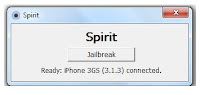
if everythig is checked. then you are good to go. connect your iPad to your USB cable and run the file spirit jailbreak. should look like this image below.

Now click the button to jailbreak your device, and wait when its finished.


your Apple iPad is now jailbroken..

Your iPad will restart. just wait for it to restart and its all done.


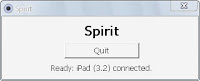
After it has restarted the screen should look like this. this is a jailbroken iPad screen.

Now just go to cydia and wait for it to run for the first time. your iPad will restart and then run it again and when you are prompted with a selection just choose graphical mode for simple mode. then when donw update cydia and wait for it to load again.